

Getting Started with LIO: Complete Setup & Dashboard Walkthrough

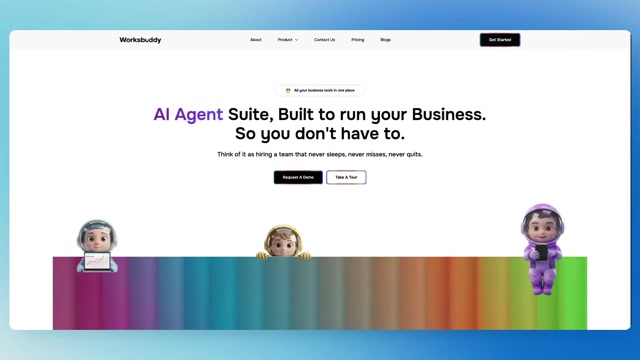
Getting Started with LIO: Your First Steps Inside WorksBuddy 𝗦𝘁𝗮𝗿𝘁𝗶𝗻𝗴 𝘄𝗶𝘁𝗵 𝗟𝗜𝗢 𝗶𝘀 𝘀𝗶𝗺𝗽𝗹𝗲𝗿 𝘁𝗵𝗮𝗻 𝗲𝘃𝗲𝗿. This walkthrough takes you from your first visit to the WorksBuddy platform all the way to accessing your LIO dashboard and launching your first workflow. Whether you're new to WorksBuddy or exploring LIO for the first time, this guide helps you get started quickly and confidently. 𝗜𝗻 𝘁𝗵𝗶𝘀 𝘃𝗶𝗱𝗲𝗼: • Logging in securely to your WorksBuddy account • Exploring the dashboard and understanding its layout • Navigating key sections across the platform • Accessing the “Agents” section and AI-powered tools • Launching LIO and starting your first workflow 𝗚𝗲𝘁 𝘂𝗽 𝗮𝗻𝗱 𝗿𝘂𝗻𝗻𝗶𝗻𝗴 𝘄𝗶𝘁𝗵 𝗮 𝘀𝗺𝗮𝗿𝘁𝗲𝗿, 𝗳𝗮𝘀𝘁𝗲𝗿 𝘄𝗮𝘆 𝘁𝗼 𝗺𝗮𝗻𝗮𝗴𝗲 𝘀𝗮𝗹𝗲𝘀 𝗮𝗻𝗱 𝘄𝗼𝗿𝗸𝗳𝗹𝗼𝘄𝘀. Explore WorksBuddy: https://worksbuddy.ai View Pricing & Plans: https://worksbuddy.ai/pricing Contact Our Team: https://worksbuddy.ai/contact #WorksBuddy #LIO #AIAgents #BusinessAutomation #WorkflowAutomation #SalesAutomation #CRM #StartupGrowth #Productivity #AITools
0 Comments
Comments live in community threads. Post this video to a community to start the conversation.