

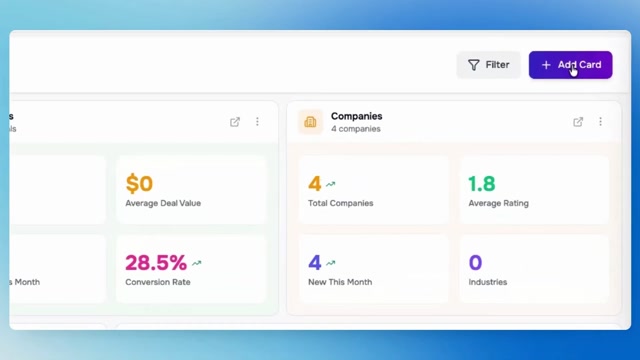
Customize Your LIO Dashboard for Maximum Productivity | Reports, Charts & Insights

#ProductivityTools #AIforBusiness #SaaSTools 𝗬𝗼𝘂𝗿 𝗱𝗮𝘀𝗵𝗯𝗼𝗮𝗿𝗱 𝘀𝗵𝗼𝘂𝗹𝗱 𝗮𝗱𝗮𝗽𝘁 𝘁𝗼 𝘆𝗼𝘂𝗿 𝘄𝗼𝗿𝗸𝗳𝗹𝗼𝘄 — 𝗻𝗼𝘁 𝘁𝗵𝗲 𝗼𝘁𝗵𝗲𝗿 𝘄𝗮𝘆 𝗮𝗿𝗼𝘂𝗻𝗱. In this video, we take a complete tour of the LIO Dashboard and show you how to customize it to match the way your team works. From default report cards to fully personalized layouts, you'll learn how to keep the metrics that matter most front and center. Whether you prefer tables, charts, or quick stats, LIO gives you the flexibility to build a dashboard that delivers the insights you need at a glance. 𝗜𝗻 𝘁𝗵𝗶𝘀 𝘃𝗶𝗱𝗲𝗼: • Explore the default dashboard setup • Create and manage custom report cards • Add Lead, Deal, Company, Contact & User reports • Switch between Table, Chart, and Stats views • Drag, resize, edit, and organize dashboard cards • Prioritize the data that matters most to your team 𝗕𝘂𝗶𝗹𝗱 𝗮 𝗱𝗮𝘀𝗵𝗯𝗼𝗮𝗿𝗱 𝘁𝗵𝗮𝘁 𝘄𝗼𝗿𝗸𝘀 𝗳𝗼𝗿 𝘆𝗼𝘂: https://worksbuddy.ai/ Pricing & Plans: https://worksbuddy.ai/pricing Need a personalized walkthrough? https://worksbuddy.ai/contact #LIO #WorksBuddy #CRMSoftware #SalesTeam #LeadTracking #SalesOps #BusinessAutomation #DashboardCustomization #AIforBusiness #ProductivityTools
0 Comments
Comments live in community threads. Post this video to a community to start the conversation.