

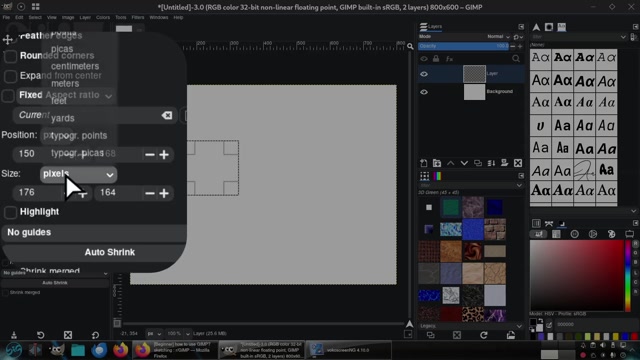
rectangle1
• 7/29/2026
A tutorial demonstrating how to create and manipulate a rectangle in GIMP, a free image editing software. The video shows the user interface of GIMP version 2.10, including tool panels, layers, and color options. The user draws a rectangle on a blank canvas, adjusts its size and position using the tool settings, and demonstrates how to access the 'Image' menu for further editing options. The process includes setting dimensions, aspect ratio, and using the 'Tab' key for precise input. This step-by-step guide is ideal for beginners learning basic shape creation and editing in GIMP.
0 Comments
Comments live in community threads. Post this video to a community to start the conversation.