

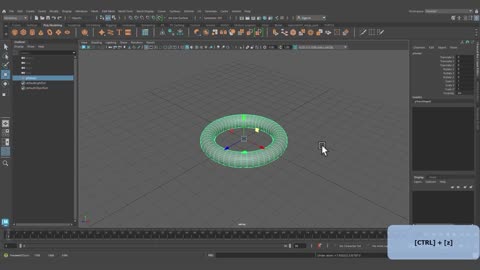
Autodesk Maya 2026 Tutorial: Navigation & Shortcuts for Beginners

Maya Course - Full Playlist: https://shorturl.at/gfsU3 Video Editing - Full Playlist: https://shorturl.at/RoSkr Master Autodesk Maya 2026 Basics 🚀 In this tutorial, we dive into the core fundamentals of Maya 2026. Whether you're a student or a hobbyist, understanding how to navigate the 3D viewport is the foundation of your career. Key Tools Covered: Selection (Q): Selecting objects and using the Channel Box. Move Tool (W): Positioning objects on X, Y, and Z axes. Rotate Tool (E): Orienting meshes for perfect angles. Scale Tool (R): Resizing models (Uniform & Non-uniform). Pro Tips included: 💡 Use 'F' to instantly focus on your selection. 💡 Press Alt + B to toggle the background color for better mesh visibility. We use a 3D car model in this video to demonstrate how these shortcuts apply to a real production workflow. 0.00 - Movement in maya 0:27 - Selection Tool in maya 0:40 - Properties of an Object in Maya Channel Box/ Layer Editor in Maya 01:18 - Dupliacate models in Maya shortcut 01:52 - Selecting Multiple Objects in Maya 02:30 - How to Move objects in Maya 04:20 - How to Rotate objects in Maya 05:31 - How to Scale objects in Maya 07:13 - How to use shortcuts for selection in Maya 07:50 - How to use channel box for navigating objects in maya 10:09 - How to focus objects in Maya by using the "F" Key 11:53 - How to change the grid, View and Background color in Maya by using shortcut "Alt+B". 12:54 - Utilizing all navigations tools for an object in Maya 14:55 - How to Orbit scene in Maya 15:33 - How to group objects in Maya 15:33 - How to group objects in Maya #maya #3dmodeling #tutorial #cgi #autodesk @thejellyproductions #thejellyproductions #jellyproductions
0 Comments
Comments live in community threads. Post this video to a community to start the conversation.